Not a tracking app.A cash flow improvement system.
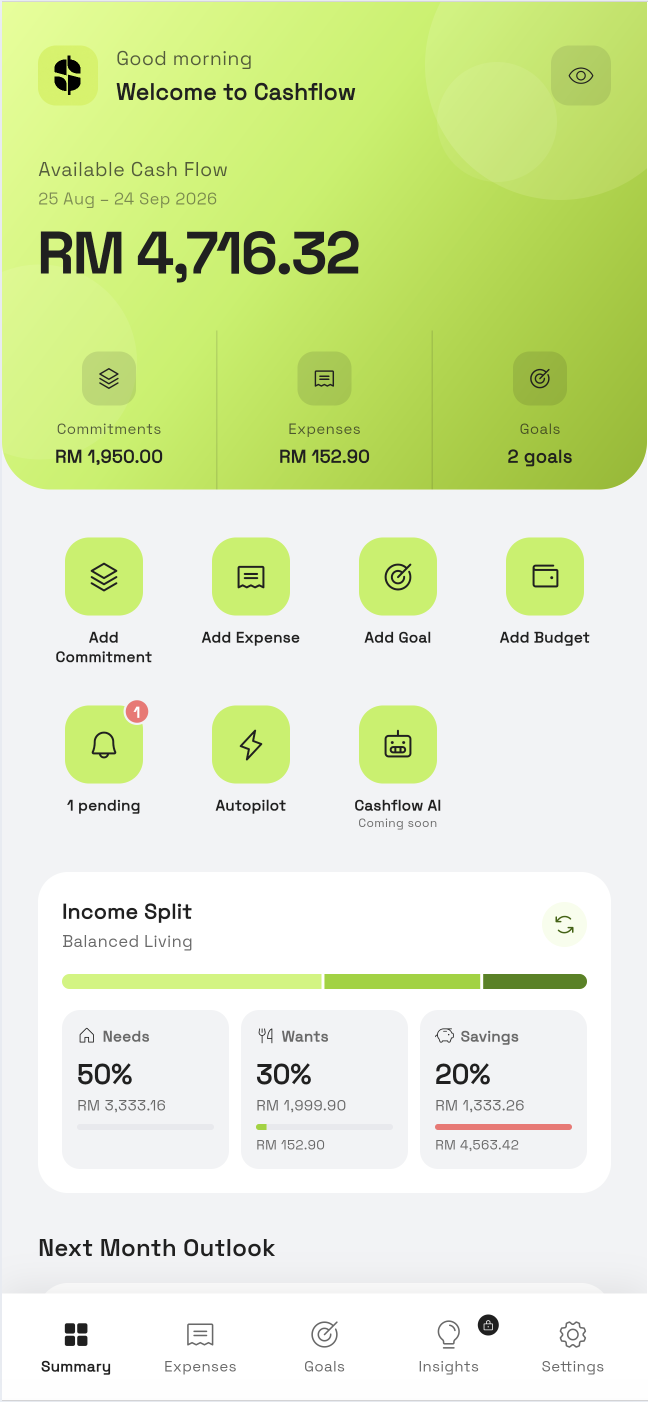
Your balance looks fine. Until it doesn't. Cashflow tracks by payday cycle, flags credit card cutoffs before they hit, and shows exactly what you will have left when the next pay rolls in.

Built around your cash flow, not just your balance.
Your balance looks fine. Until it doesn't. Cashflow tracks by payday cycle, flags credit card cutoffs before they hit, and shows exactly what you will have left when the next pay rolls in.
Everything you need to take control
Built around how you actually get paid and spend, not how the calendar works.
Payday Cycle Cashflow
Your cashflow view follows your actual payday date, not Jan 1 to 31. See exactly what comes in and goes out between each pay cycle.
Credit Card Cutoff Reminders
Log credit expenses and get reminded before your statement cutoff date. Always know what you owe in the current billing cycle.
Credit & Debit Tracking
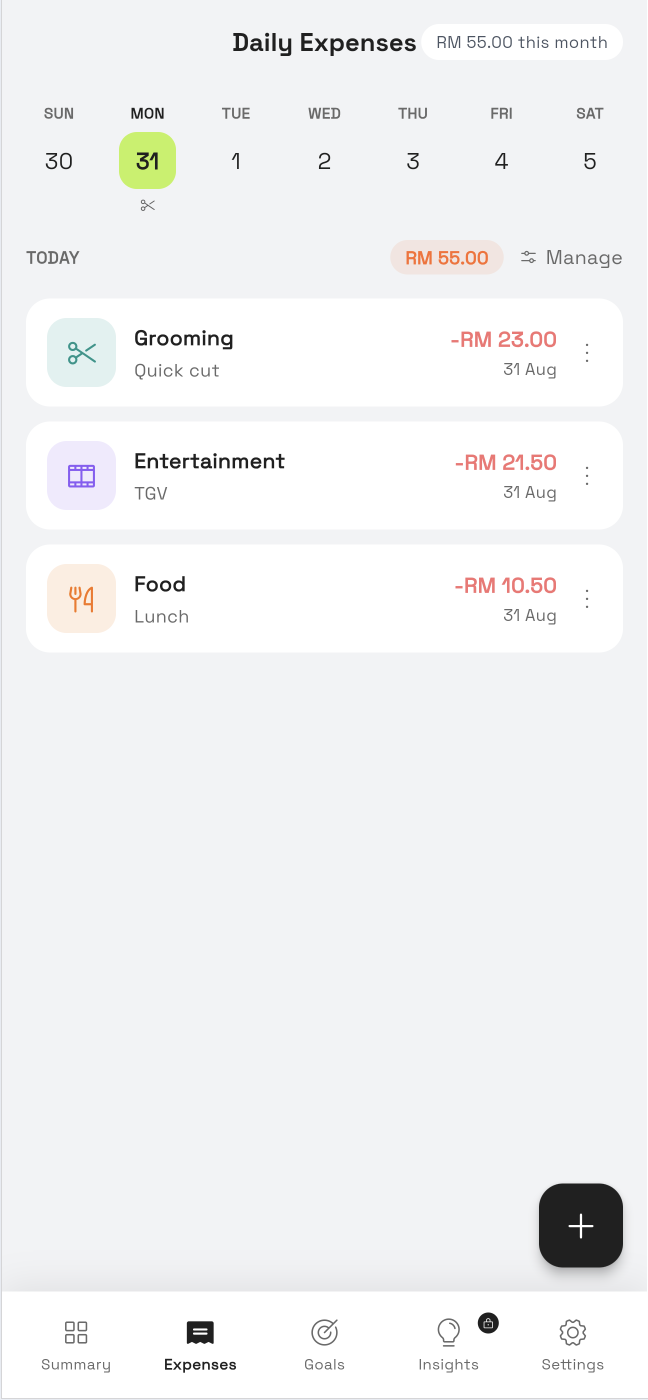
Record every expense with its payment method. Know exactly how much of your spending runs on credit vs debit at any time.
Next Cycle Outlook
See a forward projection of your next payday cycle: commitments, expected expenses, and remaining buffer, before it arrives.
Recurring Bills Tracker
Track subscriptions, loans, and fixed commitments. Reminders are aligned to your pay cycle, not arbitrary calendar dates.
Financial Goal Planner
Set savings goals within your payday cycle. Build consistent habits and watch your buffer grow cycle by cycle.

Up and running in minutes
Set Your Payday Date
Tell us when you get paid. We structure your entire cashflow view around your real pay cycle, not the calendar month.
Log Expenses by Payment Method
Record every expense as credit or debit in seconds. Credit entries are automatically tracked against your card's cutoff date.
See Your Real Cashflow
Get a clear view of inflow, outflow, and remaining buffer for each cycle, plus a forward outlook for the next one.
Simple, transparent pricing
Start free. Upgrade when you need more.
Perfect to get started
- Up to 5 commitments
- 30+ categories
- Unlimited expense records
- Basic cash flow chart
- Last 3 months history
For serious financial improvement
- All in Free plan, plus:
- Unlimited commitments
- Advanced insights & charts
- Unlimited custom categories
- Bill reminders & alerts
- Full transaction history
- Priority support
Know if you can afford it. Before you commit.
- Everything in Pro, plus:
- AI tells you if a new loan or subscription is a safe move before you commit
- See your predicted cash position 3 payday cycles ahead
- Know which spending categories are quietly shrinking your buffer
- Get the best window to make large purchases around your statement cutoff
- Unusual expenses flagged before they become a pattern
People are changing their financial lives
Frequently asked questions
Cashflow is available on both iOS (App Store) and Android (Google Play).
A payday cycle runs from one payday to the next. For example, the 25th of one month to the 24th of the next. This gives you a more accurate picture of your real cashflow than a Jan 1 to 31 calendar view, because that is how your actual money moves.
When you log an expense as credit, Cashflow tracks it against your card's statement cutoff date. You will get a reminder before the cutoff so you always know what you owe in the current billing cycle.
Absolutely. Your data is encrypted at rest and in transit. We never connect directly to your bank. You enter data manually, keeping full control on your device.
Not yet. Cashflow currently supports a single currency per account. Multi-currency support may be added in a future update.
Pro is a one-time purchase at RM 14.90. New users get a 7 day free trial with full Pro features, no credit card required to start.
Ready to
transformttrraannssffoorrmm
your finances?Start free. No credit card needed. Available on iOS and Android.
Get in touch
Have a question, feedback, or partnership inquiry? We'd love to hear from you.